Record your screen.
Cut it down.

Cutscreen is a screen recorder with a real video editor built in. Capture your screen with device audio, then trim it to the part worth sharing — without leaving the app.

No watermark No time limit No account Up to 1440p · 60 FPS
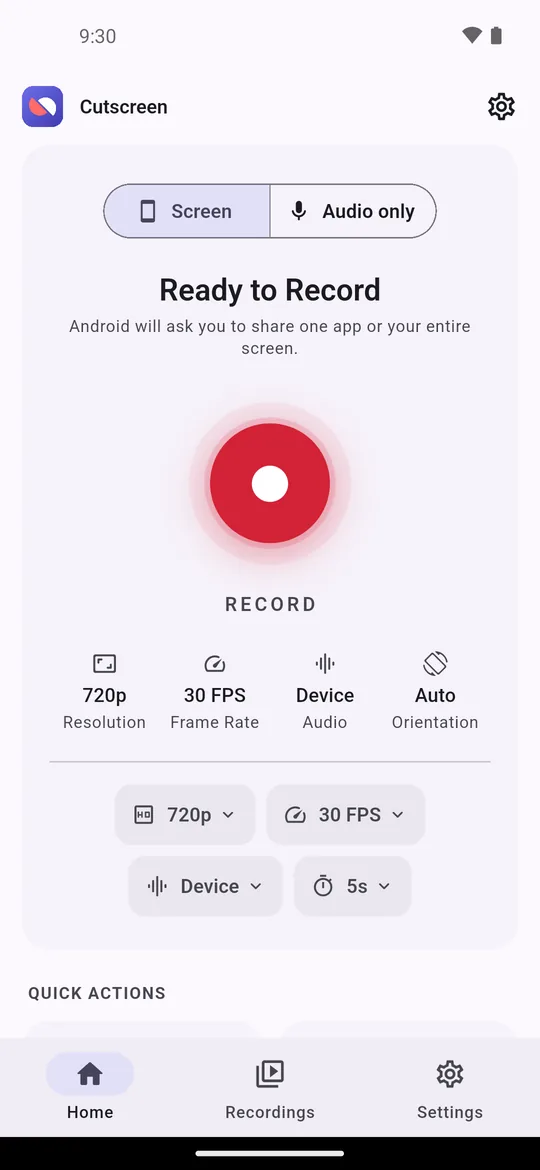
Cutscreen home screen with the record button
Record

Capture exactly what you see — and hear

Cutscreen checks what your device can really encode and only offers what will work, so a recording never fails halfway.

  • 480p, 720p, 1080p, 1440p, or your device's full resolution
  • 24, 30, 48 or 60 FPS, quality presets, or set the bitrate yourself
  • Device audio, your microphone, or both mixed together
  • Audio-only mode when you don't need the picture
  • Selfie camera in the same video, in a frame you can drag and resize
  • 3, 5 or 10 second countdown; pause and resume without gaps in the file
Audio source options: microphone, device audio, or both
Stay in control

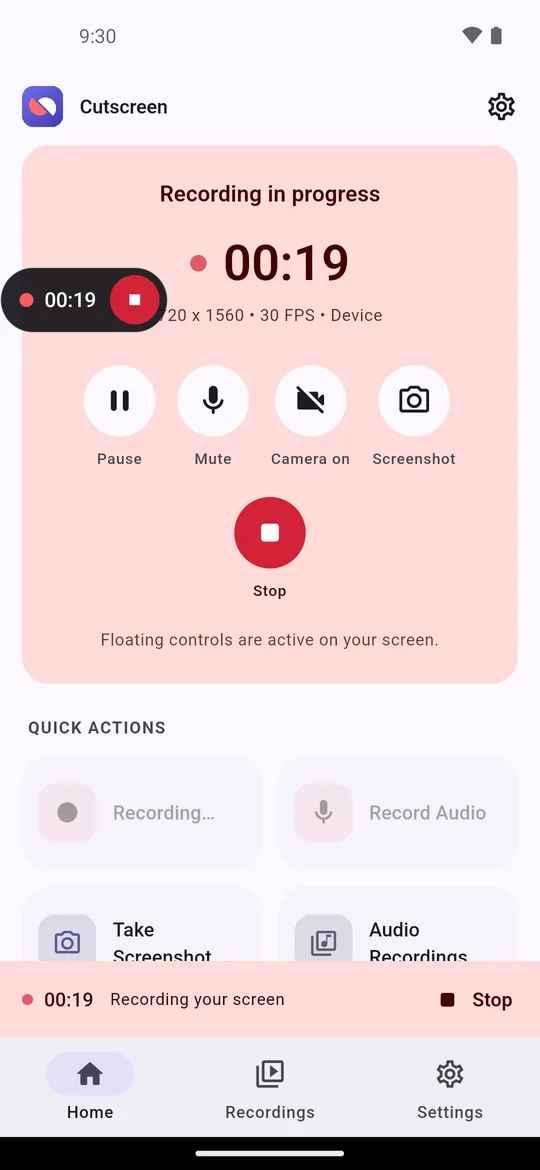
Controls that float over any app

A draggable controller snaps to the edge and tucks itself away. The notification always has pause, resume and stop.

  • Take a screenshot in the middle of a recording, or on its own
  • Stop automatically when the screen locks
  • Keep the screen awake while recording
  • Orientation locked for the session so rotation never distorts the output
A recording in progress with the floating controller
Edit

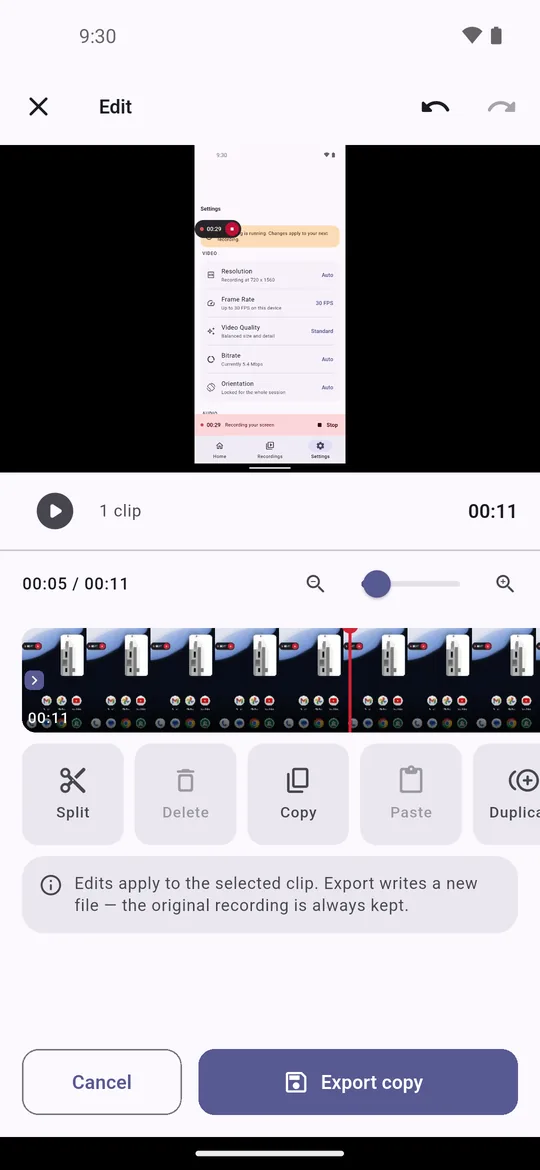
A real editor, not just a trimmer

Non-destructive: the timeline holds ranges and settings, never pixels, so every change is instant and undoable. Export writes a new file — your original is always kept.

  • Multi-clip timeline: split, cut, copy, paste, duplicate, reorder, trim
  • Undo and redo for every change
  • Speed 0.25x–4x and volume per clip, plus a master level
  • Brightness, contrast, saturation, warmth, vignette, mono and presets — previewed live
  • Crop, rotate, flip, and green screen (chroma key)
  • Add music from your files, or record a voice-over in the app
The Cutscreen editor timeline with split, copy and paste tools
Organise

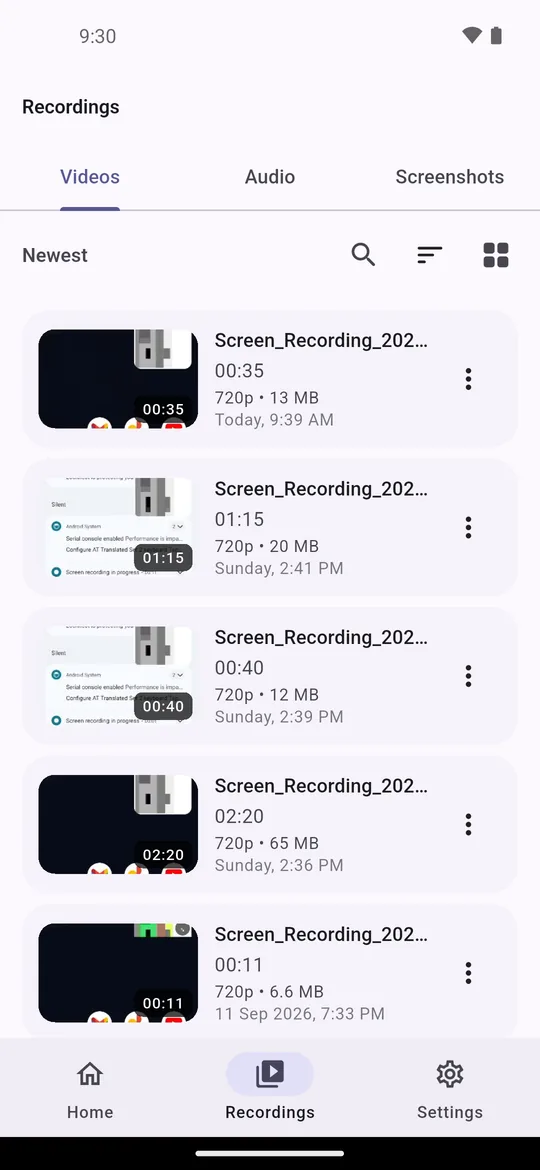
Every recording, neatly kept

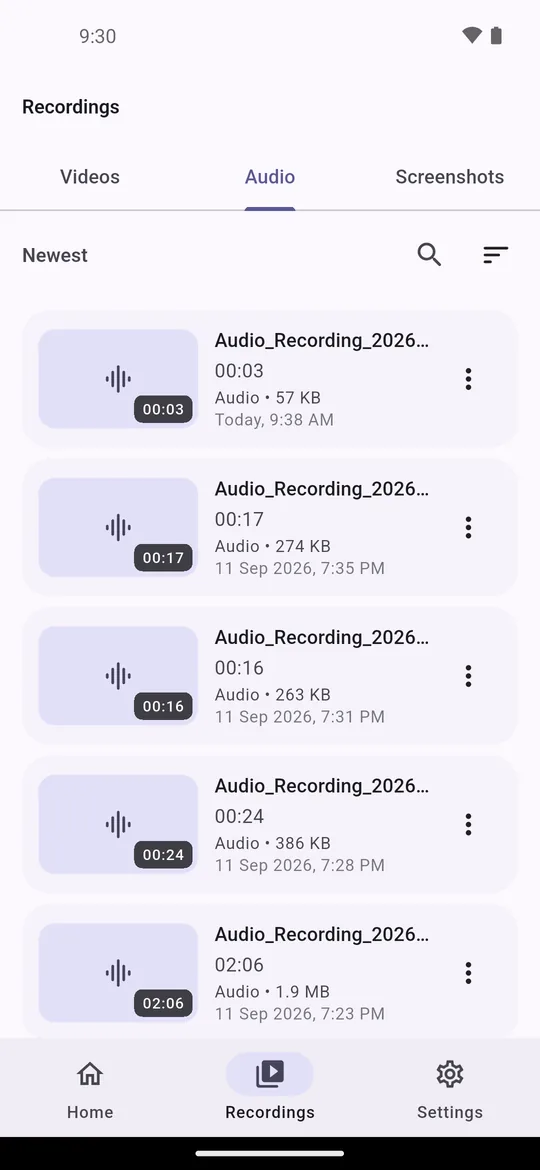
  • Videos, audio and screenshots in one library, saved to your own gallery folders
  • Search, six sort orders, grid or list
  • Rename, share, delete or view details — one at a time or in bulk
  • Built-in player with 10 second skip and scrubbing; zoomable screenshot viewer
The recordings library in grid view
Private by design

Nothing records without you knowing

Your recordings stay on your phone. Cutscreen has no servers of its own and never uploads what you capture.

You start every recording

Recording begins only after you accept Android's own screen-sharing prompt. Nothing starts on boot or in the background.

Always visible

A notification stays on screen for the whole session, with stop one tap away.

Stays on your device

Recordings and screenshots are written straight to your gallery. Cutscreen makes no network requests of its own.

Permissions only when needed

Microphone, camera and overlay access are asked for by the feature that needs them — never at launch, and each with a "Not now".

Cutscreen is free and supported by ads. Ads appear only after you finish a recording or an export, never during one. Read the privacy policy.

Good to know

Made for tutorials, gameplay clips, bug reports and app demos.

Get Cutscreen on Google Play